
If you’re an iPhone (3GS, 4, 4S)/iPad, iPod Touch user, the much awaited iOS5 for iPad, iPhone has been released, it has a host of new features to make your iDevices more user friendly and acquire a host of new features, about 200 of them!

Here are some of the great features that the iOS5 will be coming with
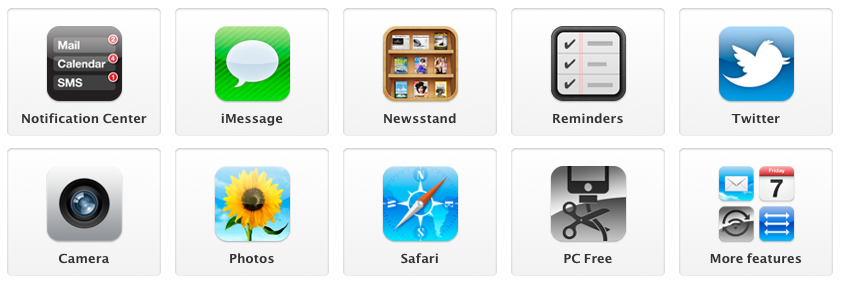
- Better Notification: The fifth version of iOS provides much better notifications including the game centre updates, new apps update and a lot more updates like e-mail, text and weather that too on your lock screen
- iMessage:Â Now you can connect yourself to all your friends through iMessage via 3G and Wi-Fi connectivity. You can easily share files via Wi-Fi connection between any two Apple devices. You can even resume the conversation where you have left last time. Well this is the BBM alternate for the iDevices
- Reminders:Â One good feature of iOS5 is that the feature of reminding events is much more than just being an alarm update. The iOS5 combines the to-do-list and the reminders. So, now you won’t forget your important meeting, which is enlisted, in your to-do-list.
- Twitter Integration:Â Twitter comes integrated with the iOS5 software. Now you can stay active on Twitter and share websites from Safari, YouTube, Photos app and more.
- Camera: The iOS5 has come up with an exciting feature through which you can click instant pictures. You dont need to unlock your device and start the camera. To click an instant picture you just need to tap twice on the home screen along with pressing the camera button. As you do it, your handset gets ready to capture the incidents, which rarely appears for a second.
- New Safari:Â Now the Safari will be connected to the iCloud service which is also announced to begin from October 12. You can switch between two web pages whenever you want and if you want to cut and paste. You can read it again after some time then you can save it in the iCloud via Safari Reader tool.
- PC Free: Now with the launch of the iOS5 your dependency on the PC for installing new updates in your iPhone, iPod and iPad gets over. Now you can activate your handset without connecting it to any PC and along with this you can use the iCloud service just like you will use it on the PC.
Here’s how to install iOS5: Plug your iPhone into your machine and launch iTunes. Select the iPhone and check for updates. Follow the prompts. It’s fairly straightforward. Note:Â iOS 5 requires iTunes 10.5 or later.
Direct Download links for iOS 5
You can download iOS 5 firmware for your desired device from the links below:
- Downlaod iOs 5 for iPhone 4S Â iPhone4,1_5.0_9A334_Restore.ipsw
- Download iOS 5 for iPhone 3GSÂ Â iPhone2,1_5.0_9A334_Restore.ipsw
- Download iOS 5 for iPhone 4 GSMÂ Â iPhone3,1_5.0_9A334_Restore.ipsw
- Download iOS 5 for iPhone 4 CDMAÂ Â iPhone3,3_5.0_9A334_Restore.ipsw
- Download iOS 5 for iPad 1Â Â iPad1,1_5.0_9A334_Restore.ipsw
- Download iOS 5 for iPad 2  iPad 2 WiFi | iPad 2 (GSM) | iPad 2 (CDMA)
- Download iOS 5 for iPod Touch 3GÂ Â iPod3,1_5.0_9A334_Restore.ipsw
- Download iOS 5 for iPod Touch 4GÂ Â iPod4,1_5.0_9A334_Restore.ipsw
Always back up your device (contacts, calendar, media, etc) before upgrading the operating system. Note: Siri is not part of the iOS5 update. The voice-command interface touted at the iPhone 4S announcement will only work on the new handset. iOS5 will work on the iPhone 3GS, 4, and 4S; as well as the iPad, iPad 2; and 3rd and 4th-gen iPod Touch.  Any queries related to iPhones can be sent across to [email protected], or post your questions on our facebook page and will shall revert as quickly as we can